Bing vs Google

Jul 19, 2009

Its a long debate to know which one is best google or bing. as we think more we get some more. this is why some people get togather and created a website where you can see the search results og google and bing side by side. have a look at the site Bing-vs-Google
READ MORE - Bing vs Google

Ultimate windows tweaker 2.0 released

Jul 16, 2009

So wait is over, Ultimate Windows Tweaker v2.0 is available. It is a freeware Tweak UI Utility for tweaking and optimizing Windows 7 & Windows Vista, all editions. You can simply download and use as a portable application. With judicious tweaking, it makes your system faster, more stable, and more secure with just a few mouse clicks.

It is a 345KB executable, that doesn't require installation and can be carried out in USB removable device/pen drive. This time, it covers more than 150 tweaks and settings.


# Support Windows 7
# Display tweak and settings according to Windows version.
# Revamped UI similar to Windows 7/Vista UI controls
# IMPROVED: Optimize services, enable/disable services and start/stop as well instantly
# FIXED: Apply button is activated only and only, when changes are done.
# FIXED: Left pane overlapped far left controls with higher DPI setting
# FIXED: Ultimate Windows Tweaker is crashed every time on 64 bit Windows OS, when Apply button clicked
# FIXED: Hangs when external commands are executed like Reset IE, Launch System Properties etc.
# FIXED: Crashing on System Performance page, on Windows 7/Vista non-English editions.

- On System Information page
+ Version with build no (removed in Beta build)
+ System Rating
+ Computer description

- On Personalization page
+ Disable Aero shake
+ Disable Aero Snap
+ Enable Jump list and nos. of jump list items
+ Sorted Start menu with all Windows 7 items
+ Bing Search replaced Live Search in Custom Start Search
+ Use large icons on Taskbar
+ Disable Aero Peek preview
+ Group when Taskbar full is added

- User Accounts & UAC
+ Welcome screen text and buttons' effects
+ Set custom background on Welcome screen (OEM Background)

- System Performance page
+ Track bars' Tooltip shows actual value in milliseconds
+ Improved "Menu action"
+ Improved "Enable support for 4GB of RAM on 32bit Windows"
+ Disable Windows Security Center service

- Security Settings
+ Disable System Restore settings
+ Disable Change Color and Appearance
+ Disable to skip starting programs by pressing Shift key

- Internet Explorer
+ Reset IE to factory default button added
-Additional Tweaks
+ Disable Windows Startup sound
+ Disable page file (Virtual Memory)
+ Enable Large System cache
+ Delete page file during shutdown process

Don’t detach empty.ico file, otherwise a tweak entitled Remove arrows from shortcut icons won’t work.

Download

Source: http://www.merawindows.com/Forums/tabid/324/forumid/-1/threadid/43382/scope/posts/Default.aspx


READ MORE - Ultimate windows tweaker 2.0 released

How To: Use your USB as additional RAM

Jul 14, 2009


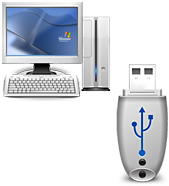
Yes you read that right, you can use your USB stick as an additional RAM and it really boosts up your PC performance. Before going into deep let start from some year back when Microsoft launches Microsoft ReadyBoost technology for Windows VISTA for upgrading the performance of your PC without upgrading its components.

If there is any way that you can speed up the performance of your system that it is through upgrading your memory.Adding more RAM speeds up Windows and applications, allowing the system to access the hard disk less often. But upgrading system components is costly and is not always possible. Buying and plugging a USB flash memory stick, on the other hand, is neither expensive nor complicated. That is why Microsoft developed a new technology called ReadyBoost. ReadyBoost uses flash memory plugged into a computer to enhance operating system responsiveness, decrease loading time, and improve computer performance.


Unfortunately, Microsoft ReadyBoost is only available in Windows Vista. Since the day Microsoft announced its ReadyBoost technology for Windows Vista, the company made it clear that no ReadyBoost upgrade will be released to support Windows XP and older operating systems.

Based on the same technology comes eBooster, which to works on technology using flash drives to increase responsiveness and performance of a Windows computer. eBooster improves performance of your PC without requiring any other component but only your flash drive.

No ReadyBoost Limitations
1. It does not support more than one USB or card.
2. It requires fast flash memory that can be more expensive than the typical flash drive.
3. Lastly, it is only good for those who has small amount of RAm like 256MB and 512MB, but do nothing for users having more memory like 2GB or more.

eBoostr is made to overcome all these limitations. While it works great with ReadyBoost Certified devices, eBoostr also supports slower, less expensive flash memory sticks and cards, allowing for a really inexpensive way to improve your computer performance. eBoostr is not limited to a single stick or card, and supports up to four flash units simultaneously. Finally, unlike ReadyBoost, eBoostr provides noticeable performance benefits even to PCs that are stuffed with RAM sticks to the max.

Highlights
  • Vista’s ReadyBoost and SuperFetch benefits on your Windows XP PCs;
  • Smart caching of frequently used applications and files for maximum performance;
  • Supports both USB and non-USB removable media devices (CF, SD/SDHC, MMC, xD and other memory cards), as well as additional hard disks;
  • Allows up to 4 devices for simultaneous smart caching;
  • Cache file size of up to 4GB on each device (NTFS has no limit on the size);
  • Compatible with all “Enhanced for ReadyBoost” devices.
Download: Download eBoostr Trial Version

source: eboostr.com, indosourcecode.blogspot.com

READ MORE - How To: Use your USB as additional RAM

22 best Oneliners

Jul 13, 2009

Not Goons but some are funny never the less.


1. I was so poor growing up ... if I wasn't a boy... I'd have had nothing to play with.

2. A girl phoned me the other day and said, "Come on over; nobody's home. I went over. Nobody was home.

3. During sex, my girlfriend always wants to talk to me. Just the other night she called me from a hotel .

4. One day I came home early from work ... I saw a guy jogging naked. I said to the guy, "Hey buddy, why are you doing that?"
He said "Because you came home early."

5. It's been a rough day. I got up this morning ... put a shirt on and a button fell off. I picked up my briefcase, and the handle came off. I'm afraid to go to the bathroom.

6. I was such an ugly kid...When I played in the sandbox, the cat kept covering me up.

7. I could tell my parents hated me. My bath toys were a toaster and radio.


8. I was such an ugly baby...My mother never breast fed me. She told me that she only liked me as a friend.

9. I'm so ugly...My father carried around a picture of the kid who came with his wallet.

10. When I was born, the doctor came into the waiting room and said to my father, "I'm sorry. We did everything we could, but he pulled through."

11. I'm so ugly...My mother had morning sickness...AFTER I was born.

12. I remember the time that I was kidnapped and they sent a piece of my finger to my father. He said he wanted more proof.

13. Once when I was lost, I saw a policeman, and asked him to help me find my parents. I said to him, "Do you think we'll ever find them?" He said, "I don't know kid. There's so many places they can hide."

14. My wife made me join a bridge club. I jump off next Tuesday.

15. I'm so ugly...I worked in a pet shop, and people kept asking how big I'd get.

16. I w ent to see my doctor. "Doctor, every morning when I get up and I look in the mirror...I feel like throwing up; What's wrong with me?" He said..."I don't know but your eyesight is perfect."

17. I went to the doctor because I'd swallowed a bottle of sleeping pills. My doctor told me to have a few drinks and get some rest.

18. With my old man I got no respect. I asked him, "How can I get my kite in the air?" He told me to run off a cliff.

19. Some dog I got. We call him Egypt because in every room he leaves a pyramid. His favorite bone is in my arm. Last night he went on the paper four times - three of those times I was reading it.

20. One year they wanted to make me poster boy for birth control.

21. My uncle's dying wish was to have me sitting in his lap; he was in the electric chair.


READ MORE - 22 best Oneliners

About Author

My photo
Working as an Automation Analyst, Ritesh is very passionate about developing tools and apps. His profile contains a long list of tools developed for Windows and apps for Android platform.